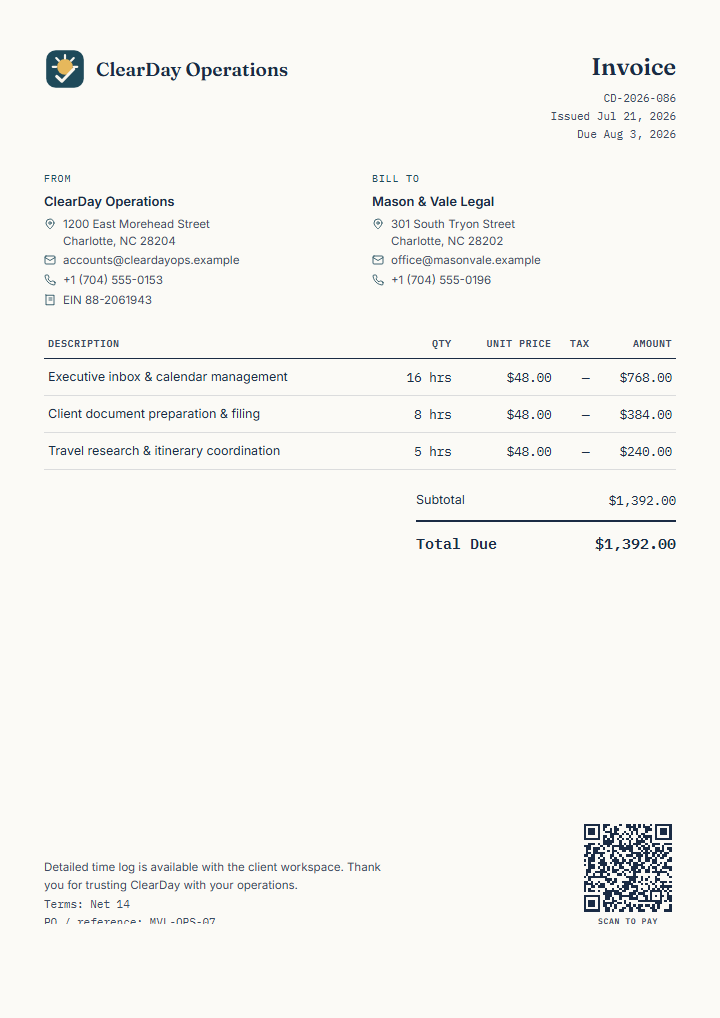
Structured for hourly inbox, calendar, document, and travel coordination.
Group hours by responsibility so the client can understand the billed work.
Keep the covered support period and reference visible.
Reference your verified time log when the client needs supporting detail.
Replace and verify
Make every field your own.
Assistant and client identities
Service period and actual responsibilities
Verified hours, rate, tax, and currency
Client reference, payment link, QR, and logo
Time-log and confidentiality wording from your own process
How to use it
Edit, review, export.
Open the template, replace the fictional details, add your logo and supported QR details when useful, and review every field. Export PDF, PNG, or SVG, then send the finished document through the channel your client expects.
Document typeInvoice
Currency and localeUSD · en-US
Useful capabilitiesLogo · Payment QR · Payment terms
Next stepSend the reviewed file and record payment or approval in the workflow you use
Template questions
Before you use this example
How should I add tracked hours?
Confirm the hours in your own time records, then enter the verified quantities and rates on the invoice.
Can I invoice a fixed monthly package?
Yes. Replace hourly units with an agreed month or package and describe the included services clearly.